Verity Companion Controls
Every useful input in the package room — movement, chat, camera, and community-observed room tricks.
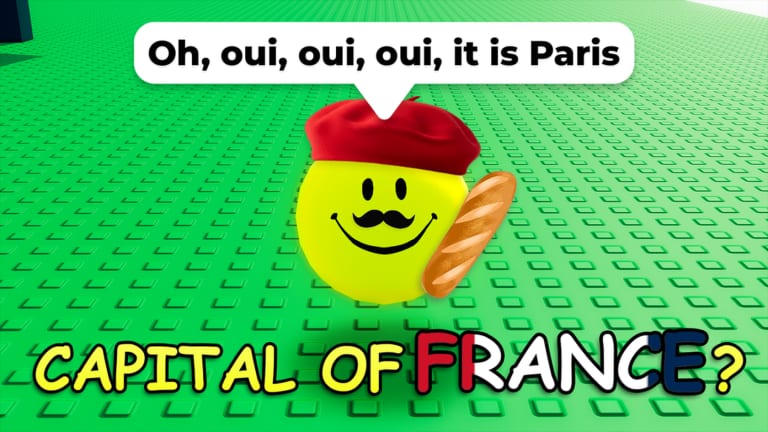
Verity Companion [AI] is a conversation horror loop, but you still need to move, look, click, and type. This page is the dedicated controls reference for place ID 74542317333958 by buzzword games. Pair it with getting started for first-session pacing and how to talk to Verity for what to type once the chat box is focused.
If a video tells you to swing an axe, place wood, or climb a watchtower, stop. Those inputs belong to similar Verity games, not this companion room.
Platform inputs
| Action | Keyboard / mouse | Mobile | Controller |
|---|---|---|---|
| Move | WASD or arrow keys | Thumbstick / on-screen stick | Left stick |
| Look | Mouse | Touch drag | Right stick |
| Jump | Space | Jump button | A / Cross |
| Interact / hold | E or click prompt | Tap / hold the prompt | Interact button |
| Chat | Click the chat field, type, Enter | Tap the chat field, send | On-screen keyboard |
| Menu | Esc / Roblox menu | Roblox hamburger | Menu button |
Community clips confirm you can walk on mobile and controllers, not only on PC. Chat still costs a message from the 40 free cap after Update 1 no matter which device sends it.
First-minute sequence
- Confirm the listing. Title Verity Companion [AI], creator buzzword games, place 74542317333958. Wrong map: similar Verity games.
- Look around. The room is small. Find the package before you dump messages into chat.
- Open the package. Click or tap when prompted. This starts the Verity loop and usually fires WELCOME! — see all badges.
- Focus chat. Type to Verity. Read the reply before you send the next line. Every send spends budget documented on how to get more messages.
There is no hotbar, inventory grid, or tool wheel. The only “items” that matter later are story props some runners report after several endings — not a survival crafting menu.
Camera, lighting, and audio
The listing recommends headphones. Audio stingers and Verity’s voice are part of the scare. The experience uses flashing lights and loud sounds. If you are photosensitive, lower volume and take breaks — full notes on safety and AI.
Community recordings show the room can go dark (night cycle). Players mention needing a flashlight-like view or simply waiting. That is environmental mood, not a separate controls page for batteries. If darkness hides UI, open Roblox settings and bump brightness rather than assuming a bug; still check known issues if prompts vanish.
Room movement beyond WASD
The companion room is not a flat chat box. Public walkthroughs show players wall hopping, climbing ledges, and putting distance between themselves and the orb. That movement does not replace conversation — endings still come from chat tone on all endings — but it changes what you see when Verity follows or when “max craziness” visuals start.
Treat parkour as optional flavour. You will not unlock RETURN TO SENDER by jumping well. You might, however, lose track of the chat prompt if you clip into geometry. If Verity falls off a ledge in a clip, that is presentation, not a documented win condition.
Interact prompts after later endings
Some community runs describe a box or block prompt after earning several ending-like badges: hold E (or the mobile hold) to place pieces. Treat that as a community-observed extra interaction, not an official quest log. It is discussed on all endings next to RETURN TO SENDER. If you never see a hold prompt, you are not stuck — many players finish WELCOME! and I DONT FORGET with only package + chat.
Notebook (49 Robux) is a pass UI, not a keyboard bind. Open it from the experience’s pass features to read stored memory. Admin Panel (119 Robux) is not a default control for free players. Compare both on game passes.
What you cannot bind
- No dedicated “crazy meter” key. The community concept is explained on crazy meter.
- No code redeem field inside this experience as of August 2026. If a string ever ships, it will be listed on how to redeem and active codes.
- No VIP server command. Private servers are off; public rooms hold up to eight players. Shared-room etiquette: session and servers.
Accessibility shortcuts
Roblox itself still owns shift-lock, camera sensitivity, and UI scale. Raise text size in Roblox settings if chat is hard to read on a phone. Do not paste account passwords into Verity’s field — the orb is generative AI and may echo text in ways you did not intend. Privacy rules sit on safety and AI.
Practice plan
Spend your first session on package → two chat lines → look around, then leave. That confirms controls without burning all 40 messages. Use the message budget tool before a badge night. Watch a real package-room walkthrough (embedded above) only if the thumbnail shows the yellow orb in a small interior, not a forest cabin.
Related pages
- First session: getting started
- What to type: how to talk to Verity
- Endings: all endings
- Official listing: community and links
- Hub: guides hub
Master these inputs once. After that, Verity Companion is almost entirely about conversation quality, not dexterity.
Frequently Asked Questions
Quick answers to the most common questions.
What are the controls for Verity Companion on Roblox?
Standard Roblox move and look, then open the package and type in chat. Device tables are on this page. Chat still spends the 40-message cap from Update 1.
Can I play Verity Companion on mobile or controller?
Yes. Community recordings show walking on mobile and controllers. Chat uses the on-screen keyboard. See getting started for the first-session plan.
Is there a jump puzzle or axe control?
No axe. Optional wall hops exist in this room but endings come from chat. Forest tools belong to similar Verity games.
What does hold E do?
Package open is click/tap. Some later-ending clips show a hold interact on a box. Details stay community-inferred on all endings.